What is BracketView?
BracketView is a powerful freemium online JSON viewer, formatter, validator, AI-powered repair tool, and JQ + JSONPath playground that helps developers work with JSON efficiently. The free tier includes the full workspace; AI-assisted features run on monthly limits unless you upgrade to Pro. Whether you need to view complex JSON, query with JQ or JSONPath, format or validate syntax, repair broken JSON with AI, compare files, generate types in 9 languages, or validate schemas, BracketView provides the tools in one web application—see pricing for Pro details.
Key Features
AI JSON Fixer - Auto-Repair Broken JSON
Our revolutionary AI JSON fixer automatically detects and repairs broken JSON syntax. Stop wasting time hunting for missing commas, unquoted keys, or trailing commas. The AI analyzes your JSON and fixes all errors with a single click. It can fix missing commas, unquoted keys, single quotes, trailing commas, unclosed brackets, invalid booleans, and more. Try ourAI-powered JSON repair tool today.
JSON Viewer
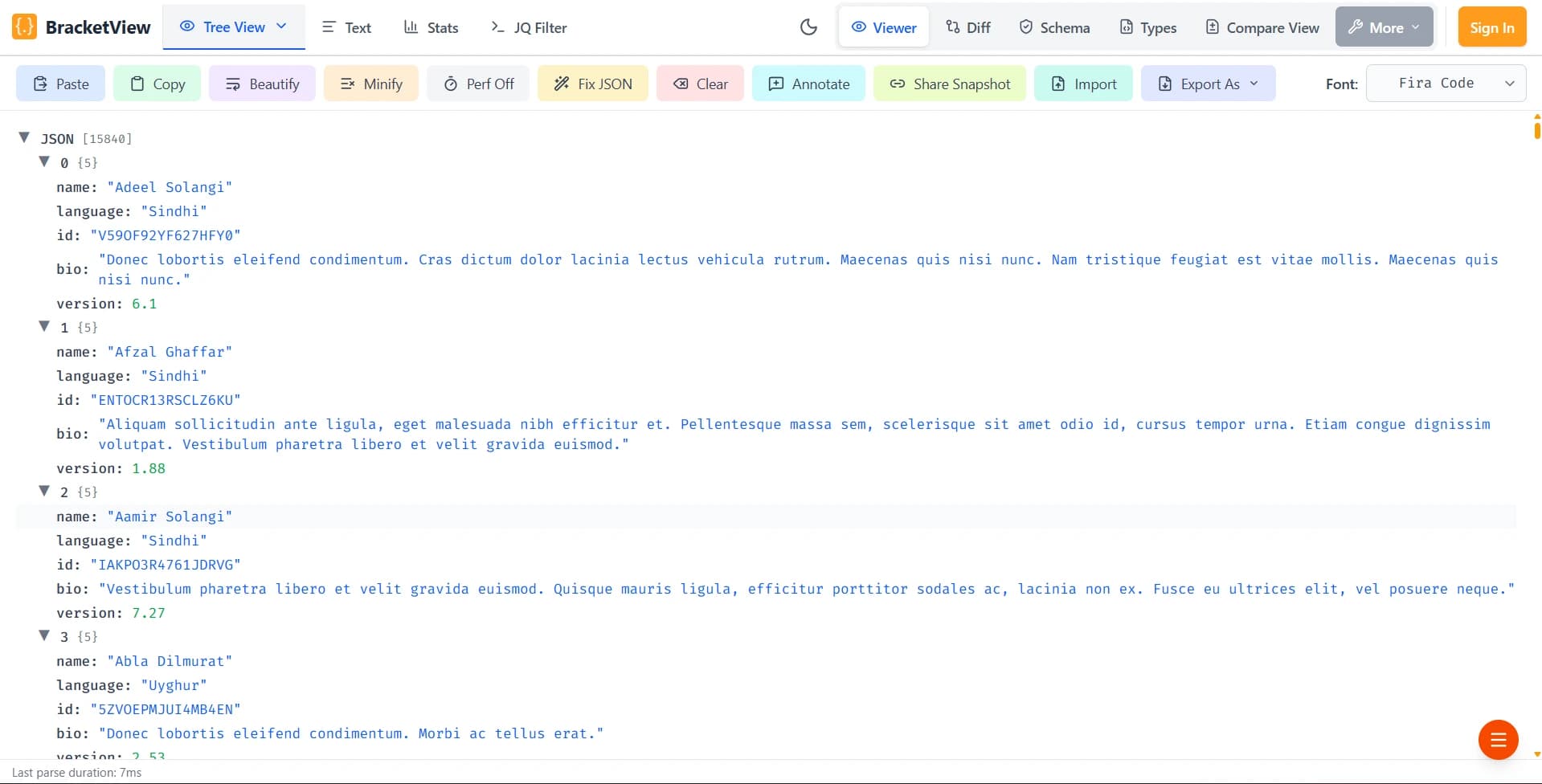
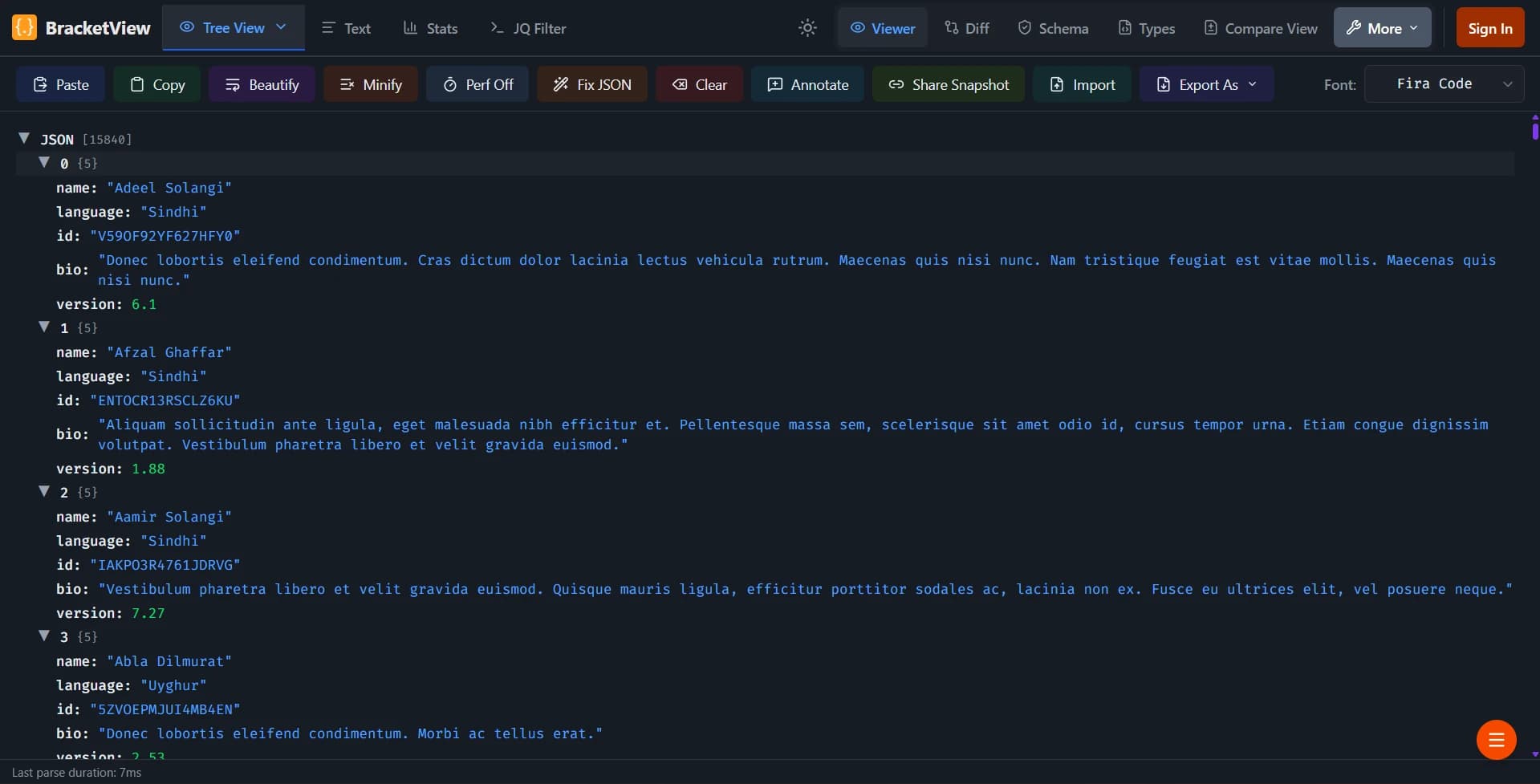
View your JSON data in an interactive tree structure with expandable and collapsible nodes. The tree viewer makes it easy to navigate through complex JSON objects and arrays, with color-coded value types for strings, numbers, booleans, and null values. This visual representation helps you understand the structure of your JSON data quickly and efficiently. Explore our JSON viewer to see how it can help you work with complex data structures.
JSON Formatter
Beautify and format your JSON with proper indentation and structure. The formatter automatically adds line breaks and indentation to make your JSON code readable and well-organized. Perfect for cleaning up minified JSON or formatting JSON from APIs. Our JSON formatter ensures your code is properly structured and easy to read, making debugging and maintenance much simpler. Visit our dedicated JSON formatter page.
JSON Validator
Validate JSON syntax in real-time with instant error detection. The validator highlights syntax errors and provides helpful error messages to help you fix issues quickly. No more guessing whether your JSON is valid or not. Our JSON validator catches common mistakes like missing commas, unclosed brackets, and invalid character sequences before they cause problems in your applications. Try our dedicated JSON validator tool.
JSON Editor
Edit JSON directly in the browser with a clean, user-friendly text editor. The editor supports syntax highlighting and provides a comfortable editing experience for working with JSON data. You can paste JSON, type it manually, or upload JSON files. The JSON editor makes it easy to modify JSON data with features like copy, paste, format, and clear functions all at your fingertips.
JSON Comparison Tool
Compare two JSON files side-by-side to identify differences. The comparison tool highlights added, removed, and modified fields, making it easy to spot changes between JSON objects. Now supports importing CSV and XML files with automatic conversion to JSON. Perfect for debugging, version control, API testing, and cross-format data comparison. Use our JSON comparison feature to quickly identify what changed between different versions of your JSON data.
JQ Filter & JSON Query Playground
Query and transform your JSON data using powerful jq filter expressions right in your browser. Our JQ Filter playground lets you extract specific fields, filter arrays, transform objects, and pipe operations together — all without installing jq locally. Perfect for exploring API responses and extracting data from complex JSON structures. Features include object field access, array indexing and slicing, pipe operations, map and select filtering, built-in example filters, and a comprehensive cheat sheet. Try the jq playground in your browser—no local jq install needed (free tier; Pro optional for unlimited AI elsewhere).
How to Use BracketView
Using BracketView is simple and straightforward. Start by pasting your JSON data into the text editor or upload a JSON file from your computer. You can then switch between the Text, Viewer, Stats, and JQ Filter tabs to see your JSON in different formats. Use the Format button to beautify your JSON, the JQ Filter tab to query and transform your data with jq expressions, or use the Comparison mode to compare two JSON files side-by-side. If your JSON has errors, use the AI Fix button to automatically repair it. Learn more about our JSON viewer features, JQ filter playground, and JSON validator capabilities. The interface is intuitive and requires no technical knowledge to get started.
Why Choose BracketView?
BracketView is freemium: you can use the full workspace on the free tier without a subscription; signing in improves AI allowances. It runs in your browser—no desktop install. Core viewing, formatting, validation, and many utilities run locally. Optional snapshot links upload JSON and annotations; we store them encrypted at rest until expiry. AI-assisted features send only the input you submit over HTTPS to produce a result—see our privacy policy and pricing for limits and Pro. Our AI JSON fixer helps repair broken JSON quickly. Large files, multiple views, and CSV export are supported.
Supported Features
BracketView supports all standard JSON features including objects, arrays, strings, numbers, booleans, and null values. The tool can handle large JSON files and provides export options to save your formatted JSON or export to CSV format. You can also copy formatted JSON to your clipboard or import JSON files directly from your device. See our features overview for the full list of tools.
JSON Tools and Utilities
Beyond basic viewing and formatting, BracketView offers advanced utilities for JSON manipulation including our revolutionary AI JSON repair tool. You can automatically fix broken JSON, remove whitespace from JSON to create compact versions, export your data to CSV format for spreadsheet applications, and compare JSON structures to find differences. These additional tools make BracketView a comprehensive solution for all your JSON-related tasks. Whether you're working with API responses, configuration files, or data exports, BracketView has the tools you need.
Privacy and Security
For everyday viewing, formatting, and validation, your JSON stays in the browser. If you create a snapshot link, your JSON and annotations are uploaded and stored encrypted until expiry. When you use AI-powered or other server-assisted features, the relevant input is sent over HTTPS to BracketView's servers and, where applicable, the configured AI provider. For a full breakdown—including analytics and third-party services—read our privacy policy.
Getting Started with BracketView
To get started with BracketView, visit our features page to learn about all available tools. Whether you're looking to understand how the JSON tree viewer works, learn about our JSON formatting capabilities, try our AI JSON fixer, try our JQ filter playground, or explore our comparison features, we have comprehensive documentation available. Our JSON tools guide provides detailed information about each feature.
Popular Use Cases
Developers use BracketView for multiple purposes: validating API responses using our JSON validator, formatting configuration files with our JSON formatter, fixing broken JSON with our AI repair tool, and debugging data structures with our interactive viewer. Data analysts benefit from our export capabilities and the ability to quickly validate large datasets. Our JSON comparison tool helps teams identify changes between file versions. Learn more on our complete features overview.
Common JSON Questions
What is JSON? JSON (JavaScript Object Notation) is a lightweight data format that's widely used across the web. Our JSON viewer makes it easy to understand JSON structure. How do I format JSON online? Simply paste your JSON into our editor and click format. Need to validate JSON syntax? BracketView provides instant validation with helpful error messages. Have broken JSON? Use our AI JSON fixer to repair it automatically. For more information, check our features page.
Why Developers Choose BracketView
Developers use BracketView because it combines many JSON tools in one freemium web app: a tree viewer, a Monaco-based editor, a fast validator, and an AI-assisted repair flow (usage limits on free tier; Pro for unlimited AI). Core workflows keep data in the browser; optional snapshots and AI flows are in our privacy policy.